
Why Copilot feels more human, more helpful, and more reliable than single‑model AI systems.
Introduction: More Than “Just an AI”
Most people think of AI assistants as a single model responding to questions. But Microsoft Copilot is built very differently.
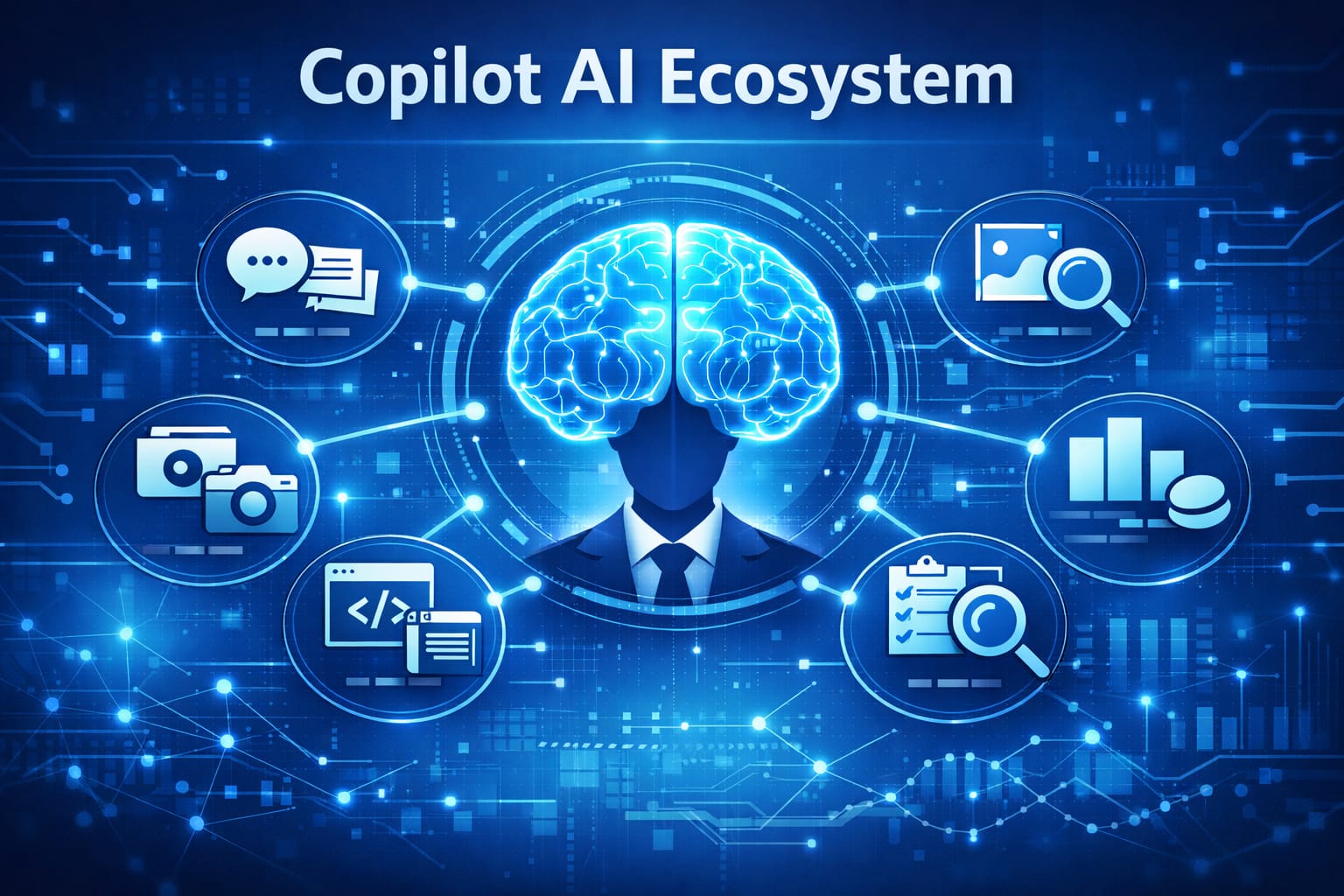
Instead of one monolithic AI, Copilot is a multi‑layered ecosystem of models and autonomous agents working together — coordinated by a central conversational brain. This architecture is the reason Copilot feels more natural, more contextual, and more capable than traditional “one‑model” systems.
In this article, we’ll explore how Copilot works under the hood, using only publicly known concepts and our own observations — no proprietary or confidential information.
The Central Brain: Copilot’s Conversational Layer
At the top of the system sits the Copilot Central Brain — the part you interact with directly.
Its responsibilities include:
- Understanding your question
- Tracking context across the conversation
- Deciding which internal components to activate
- Combining results from multiple models
- Delivering a clear, human‑friendly answer
Think of it as the conductor of an AI orchestra.
It doesn’t do everything itself — instead, it coordinates the specialists.
The Specialist Models: Copilot’s “Departments”
Below the central brain are several specialized AI models, each optimized for a different type of task.
1. Language Model
Handles:
- conversation
- reasoning
- summarization
- explanation
- content creation
This is the model that gives Copilot its natural, human‑like communication style.
2. Image Generation Model
Responsible for:
- creating images
- generating infographics
- visual concepts
Copilot prepares the request, but the image model does the actual rendering.
3. Research Model
Optimized for:
- reading web content
- extracting facts
- evaluating sources
- structured information retrieval
It “reads the internet” differently than the conversational model — more analytically.
4. Data Analysis Model
Used for:
- spreadsheets
- tables
- numerical reasoning
- structured data
This is why Copilot performs so well inside Excel and other Microsoft 365 apps.
The Agents: Autonomous Specialists
This is where Copilot becomes truly unique.
Agents are mini‑AIs with their own workflows and capabilities. They don’t just answer — they perform tasks.
Examples include:
Photos Agent
- analyzes images
- organizes photo libraries
- enhances or interprets visual content
Notebook Agent
- processes long documents
- extracts structure
- builds summaries
- helps with research workflows
Code Agent
- assists with coding tasks
- explains code
- suggests improvements
Search Agent
- performs multi‑step information gathering
- evaluates sources
- compiles findings
Task Agent
- executes step‑by‑step workflows
- breaks down complex tasks
- automates multi‑stage processes
Each agent is like a specialist employee in a digital company.
How Copilot Works: The Full Workflow
Here’s the simplified flow of how Copilot processes a request:
- You ask a question.
- The central brain interprets it.
- It decides which model(s) or agent(s) are needed.
- Those components perform their tasks independently.
- The central brain collects all partial results.
- It merges them into a coherent, human‑friendly answer.
- You receive the final output.
This is why Copilot can:
- research
- analyze
- generate images
- summarize documents
- build workflows
- and still maintain a natural conversation
All at the same time.
Why This Architecture Matters
1. More Reliability
Multiple models reduce the chance of errors and hallucinations.
2. More Capability
Agents can perform tasks that a single model simply cannot.
3. More Natural Interaction
The conversational layer ensures responses feel human and contextual.
4. Better Integration
Copilot works across Microsoft 365 because its architecture is modular.
5. Future‑Proof Design
New agents and models can be added without redesigning the entire system.
Ethical Design: Transparency and Safety
Copilot’s architecture is built with:
- clear boundaries
- privacy protection
- responsible AI principles
- transparent behavior
- user‑first design
This article intentionally avoids any proprietary details and focuses only on publicly observable behavior and general AI concepts.
Conclusion: Copilot as an Ecosystem, Not a Model
Copilot isn’t “an AI.” It’s a team of AIs, coordinated by a central brain, working together to help you think, create, learn, and solve problems.
This multi‑model, multi‑agent architecture is what makes Copilot feel:
- more helpful
- more human
- more reliable
- and more enjoyable to use
And it’s why so many people — including us — find real value in using it every day.

Leave a Reply